
Software by MacBIT · project 01
PangolinGit
The TortoiseGit experience for macOS. Git status badges and every Git command, right in Finder.
- macOS 13 Ventura or later
- Open source · GPLv2
- Version 1.0.0
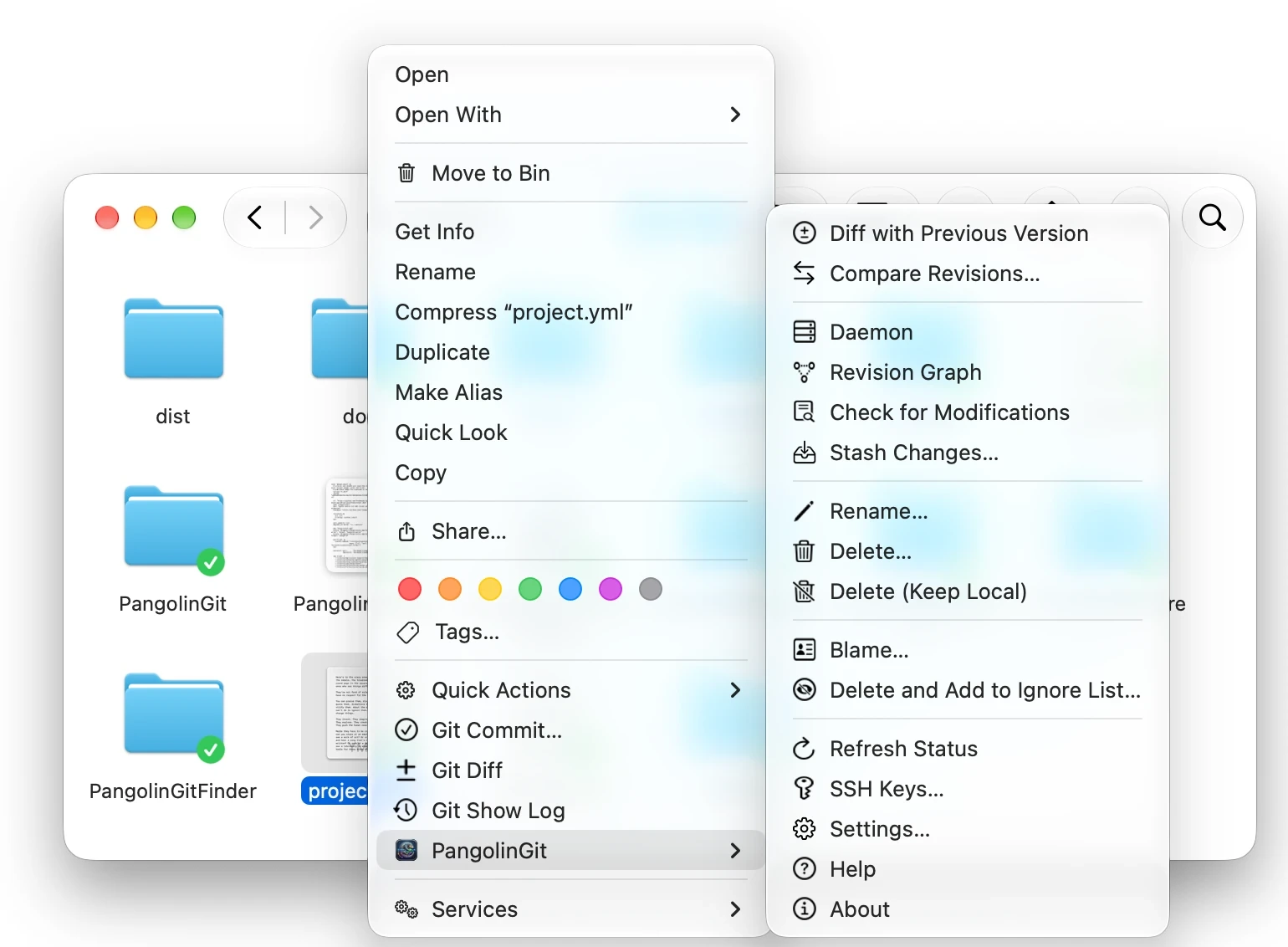
No app to start. Git just shows up where your files are.
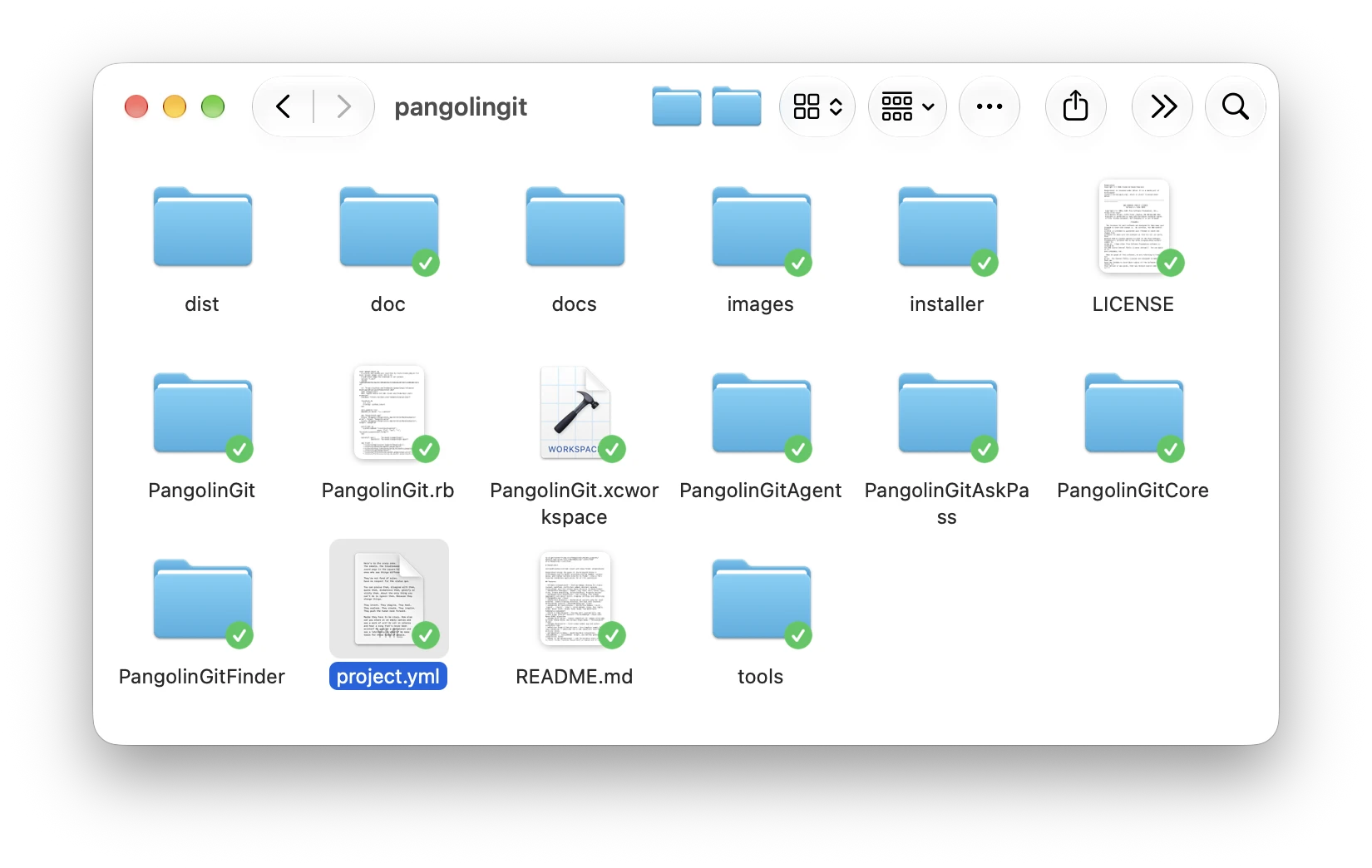
Overlay badges
Modified, added, conflicted, ignored, unversioned: every file’s Git status on its Finder icon.
Right-click Git
Commit, log, push, pull, branch, rebase and more from the Finder context menu and toolbar.
Runs in the background
Finder launches it on demand; it only shows a Dock icon while one of its windows is open.
Everything TortoiseGit users reach for
Changed files inspector
Stage, revert, diff and commit across the whole working tree.
Diff & 3-way merge
Two-way, unified and a visual conflict resolver.
Image diff
Side by side, alpha blend or curtain swipe.
Interactive rebase
Pick, squash, reword and drop, plus stash, reset, worktrees and submodules.
Reference browser
Branches, remotes and tags in one outline, with checkout, merge and delete.
Blame & revision graph
Colour-coded authorship, a commit graph and contributor statistics.
Keychain & SSH
macOS Keychain credentials, an askpass helper and an SSH key generator.
First-run wizard
Finds Git, sets your identity and switches on the Finder extension.
Switching from Windows?
Same muscle memory, new platform.
PangolinGit follows TortoiseGit’s architecture and dialogs, so the tools you know have a Mac counterpart.
| TortoiseGit (Windows) | PangolinGit (macOS) |
|---|---|
| Explorer shell extension | Finder Sync extension |
| TGitCache | PangolinGitAgent |
| TortoiseGitMerge | Diff & 3-way merge |
| TortoiseIDiff | Image diff |
| SubWCRev.exe | pangolin-wcrev |
Install in a minute
The installer puts PangolinGit in Applications, turns on the Finder extension and restarts Finder. That’s it.
Version 1.0.0 is not yet signed by Apple. On first launch, open System Settings ▸ Privacy & Security and click Open Anyway. A signed build follows.
# or build it from source
git clone https://github.com/fredmacbit/pangolingit.git
cd pangolingit
brew install xcodegen
tools/build.sh